Scheduling
Automation Server supports three trigger types. You attach triggers to a process from the process detail page in the web interface.
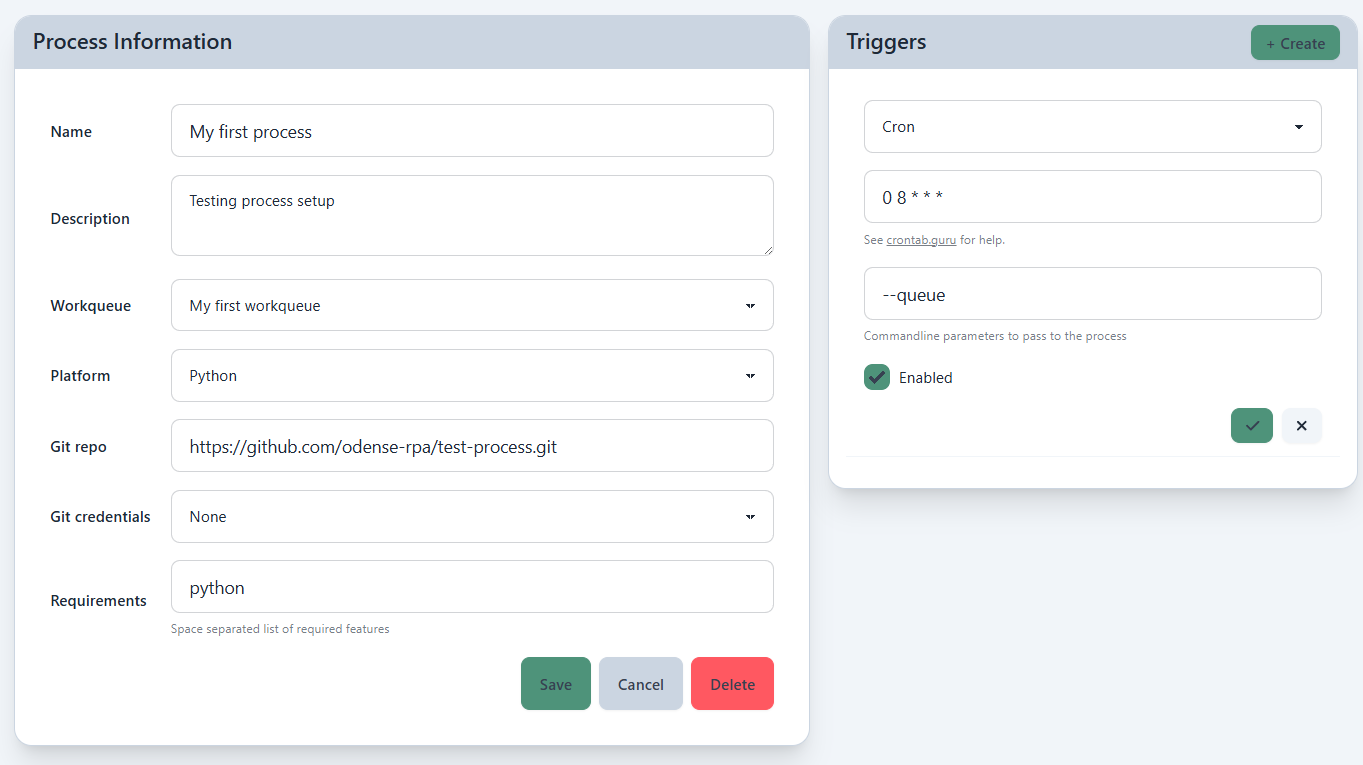
Cron Triggers
A cron trigger fires on a recurring schedule defined by a cron expression.
0 8 * * 1-5
This example runs every weekday at 8am. Automation Server uses standard Unix cron syntax — five fields: minute, hour, day of month, month, day of week.
Some common patterns:
| Expression | Meaning |
|---|---|
0 * * * * | Every hour |
0 8 * * 1-5 | Weekdays at 8am |
*/15 * * * * | Every 15 minutes |
0 0 * * * | Daily at midnight |
Date Triggers
A date trigger fires once at a specific date and time. Use this for one-off scheduled runs.
Workqueue Triggers
A workqueue trigger fires whenever there are pending items in a workqueue. Automation Server monitors the queue and creates a session when items are waiting.
This is useful for processing work as it arrives without polling on a fixed schedule.